BlogOctober 4, 2026 · 7 min read
How live wallet pass updates work
Explain pass updates for Apple Wallet and Google Wallet: when fields change, how devices refresh, and what to design for.
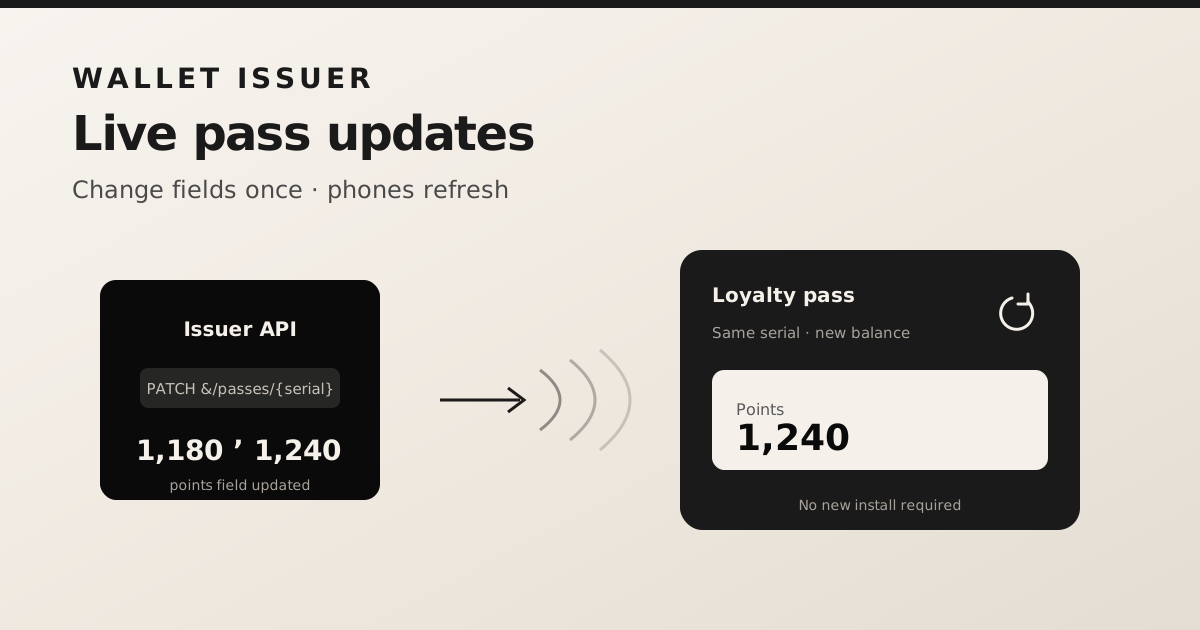
A loyalty pass that shows yesterday’s points trains customers to ignore it. Live updates keep the card trustworthy: change the fields on the server, and phones that already hold the pass refresh without a new install link.
What “update” means
Updating a pass means changing structured fields—points, tier, status, expiry—not redesigning the entire template every time. The serial stays the same. Customers keep the same install; the content moves under them.
Platform mechanics (high level)
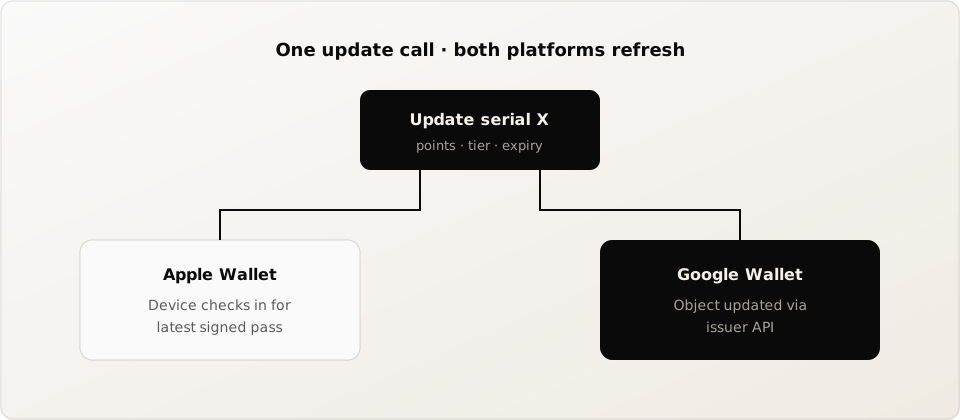
- Apple Wallet devices register for updates; your PassKit service serves the latest signed pass when the device checks in, often nudged by push.
- Google Wallet objects are updated through the issuer API so the Google Wallet app reflects new field values.
- A unified issuer abstracts both so your app only calls “update serial X with these fields.”
Design tips that avoid support tickets
- Put volatile data (points, visits) in fields that are clearly labeled on the pass face.
- Do not encode the current balance only in a static barcode if you also show points as text—keep them in sync when you update.
- Expect brief delay: devices are not always online; design copy that says “balance may take a moment to refresh.”
- Revoke or expire passes you no longer want active instead of leaving stale cards in wallets.
Quota and cost
On walletissuer, creates and content updates count toward your monthly plan quota. That matches real usage: a busy loyalty program updates more than it creates. Choose Free to pilot, Pro for live updates at moderate volume, or Pro Plus when you need higher limits and team features.